
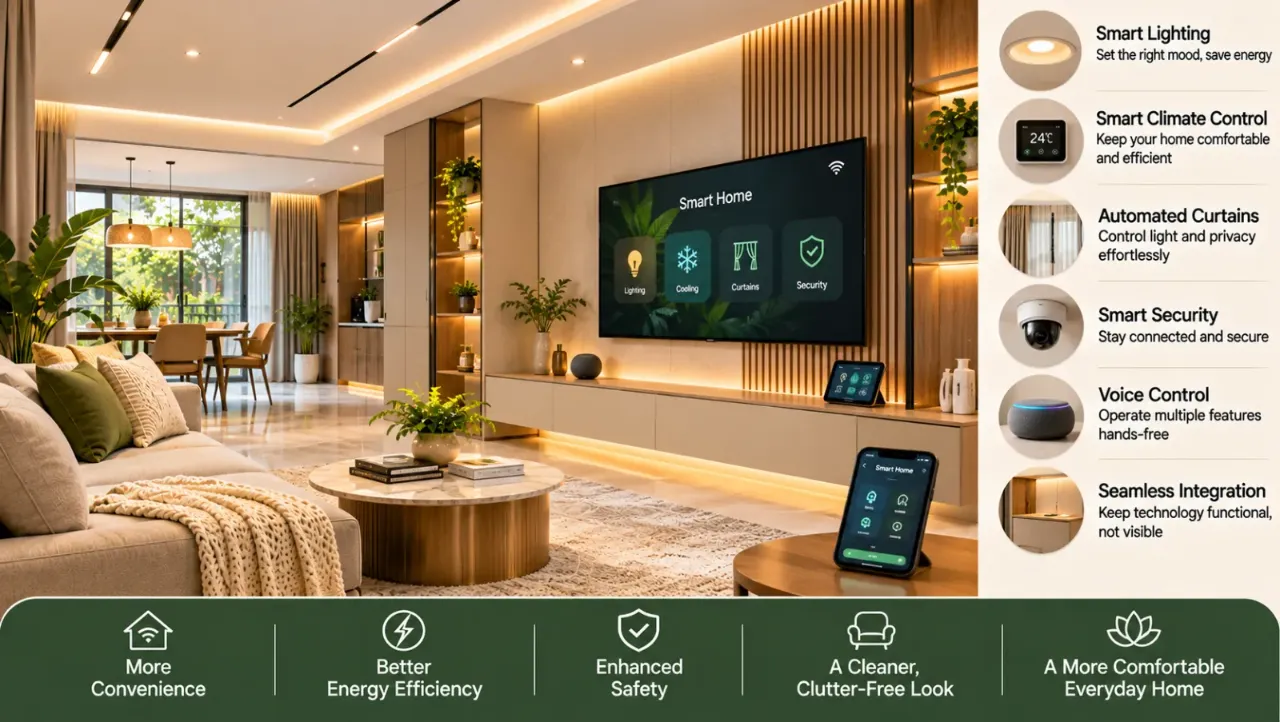
Smart Home Interior Design: Integrate Technology Without Visual Clutter
Smart Home Interior Design: Integrate Technology Without Visual Clutter
Smart-home technology is becoming part of everyday living. From automated lighting and smart fans to connected security systems and voice-controlled appliances, technology can make a home more convenient and responsive to its occupants.
But there is a design challenge: a home can quickly start looking crowded with visible wires, multiple switches, charging cables, sensors, screens and devices placed wherever a power point happens to be available.
The solution is not to hide every device. It is to plan technology as part of the interior design from the beginning.
A well-designed smart home should feel like a comfortable home first. Its technology should be easy to operate, appropriately placed and visually integrated into the space.
1. Start With Everyday Needs, Not Gadgets
Before selecting smart devices, identify the routines you actually want to simplify.
- Do you want lights to switch off automatically when a room is unoccupied?
- Would you like to control bedroom lighting without getting out of bed?
- Do you need remote access to security cameras or the main door?
- Would automated curtains be useful for large windows?
- Do you want to manage air conditioning and fans from one control system?
- Do you need convenient charging points near workstations and beds?
These questions help determine which devices are genuinely useful.
A common mistake is buying several smart products first and then trying to fit them into an existing interior. This can result in duplicate controls, unnecessary equipment and visible wiring.
2. Plan Smart Switches Before Finalising the Electrical Layout
Switches are among the most visible parts of a home's electrical system. Adding smart switches after the walls and furniture are complete can create avoidable complications.
During the planning stage, decide which lights, fans, curtains and other electrical points should have smart controls.
Consider:
- Switch locations in relation to doorways and furniture.
- Whether controls should be grouped by room or activity.
- The number of switches needed at each location.
- Whether conventional manual operation should remain available.
- Compatibility between the selected switches, wiring and automation system.
- Space inside electrical boxes for the required modules and wiring.
A consistent switch layout creates a cleaner appearance. Instead of placing individual controls wherever space is available, group them logically and use a coordinated finish.
Also consider the people who will use the home. A smart system should not make basic operations difficult for someone who prefers a physical switch.
3. Integrate Smart Lighting Into the Interior Design
Lighting automation can improve convenience while helping the interior feel more considered.
Instead of adding visible smart devices throughout the room, plan the lighting layers and controls together.
For example, a living room may have:
- General lighting for everyday use.
- Cove or indirect lighting for a softer atmosphere.
- Task lighting near a reading chair.
- Accent lighting for artwork or display shelves.
- A separate control for the main ceiling light.
These can be arranged into practical scenes, such as everyday use, watching television or entertaining guests.
The lighting fixtures themselves should still suit the interior. Recessed fixtures, concealed LED profiles and well-positioned lamps can create a clean visual effect, while smart controls manage how and when the lights operate.
Check dimmer compatibility, driver requirements and the type of light source before finalising the system. Not every LED fixture works with every smart dimmer.
4. Conceal Cables Without Making Maintenance Difficult
Visible wires are one of the quickest ways to make a modern interior look unfinished.
Cable planning should happen before furniture, wall panels and false ceilings are installed.
Useful measures include:
- Providing cable conduits inside walls where appropriate.
- Creating dedicated routes behind television units and workstations.
- Using planned cable openings in furniture.
- Providing power and data points close to the equipment they serve.
- Keeping charging cables inside drawers or designated compartments where practical.
- Separating power and data wiring as required by the electrical design.
A television wall is a good example. The television, soundbar, streaming device, router or other equipment may all need connections. If the power sockets and cable routes are planned early, most of the wiring can remain hidden behind the unit.
However, do not permanently seal every cable connection behind fixed panels. Equipment may need replacement or servicing. Use accessible routes, removable panels and suitable ventilation wherever required.
5. Place Sensors Where They Make Practical Sense
Motion, occupancy, door and window sensors can be small, but their placement affects both appearance and performance.
A motion sensor should be positioned according to the area it needs to detect. Furniture, doors, curtains and room geometry can affect its coverage.
For a better result:
- Identify the sensor's intended coverage before fixing its position.
- Avoid locations where furniture or doors may obstruct detection.
- Check whether the device is suitable for indoor or outdoor use.
- Consider whether the sensor will be visually prominent from the main entrance or seating area.
- Make sure batteries or service points remain accessible.
Some sensors can be integrated into ceilings or placed discreetly near doorways. Others need a clear view of the area and should not be concealed behind decorative panels.
The aim is to make the device unobtrusive without compromising its function.
6. Create a Dedicated Place for Routers and Smart Equipment
A connected home may require a router, network switches, hubs, security equipment and other control modules.
Leaving these devices on a console or inside an unsuitable closed cabinet can create clutter and overheating problems.
Consider a dedicated equipment zone during interior planning. It could be:
- A ventilated utility cabinet.
- A designated shelf in a study or storage area.
- A service section within a media unit.
- A planned network enclosure in a suitable location.
Keep the equipment accessible for troubleshooting and future upgrades. Provide adequate ventilation and arrange power and network connections neatly.
Avoid placing networking equipment in a sealed cabinet simply to hide it. Materials, cabinet construction and the equipment's wireless requirements can affect signal performance.
7. Make Charging Points Part of the Furniture
Phones, tablets, laptops, watches and other devices need regular charging. If there are no planned charging locations, cables and adapters often end up scattered across bedside tables, kitchen counters and living room consoles.
Build charging into the furniture plan.
For bedrooms
- Power points near both sides of the bed, where needed.
- A discreet charging drawer or shelf.
- Convenient access to sockets without moving furniture.
- Space for bedside lamps and other devices.
For work areas
Provide enough outlets for computers, monitors and accessories. Keep cable routes organised and ensure that frequently used connections remain easy to reach.
For living rooms
A side table or media console can include a planned charging point. Choose suitable electrical fittings and have installations completed by a qualified professional.
8. Keep Control Panels and Screens Visually Consistent
Smart homes may include wall-mounted touch panels, intercom screens, security displays and individual device controls.
When each product has a different size, finish and position, the wall can begin to look like a collection of unrelated gadgets.
A more coordinated approach is to:
- Group controls in logical locations.
- Use a consistent finish wherever possible.
- Avoid adding a separate screen for every function.
- Keep frequently used controls accessible.
- Place less frequently used settings within the relevant app or central interface, where appropriate.
A single interface can simplify daily use, but it should not become the only way to operate essential functions. Keep practical manual alternatives for important lighting, access and household systems.
9. Choose Devices That Work Together
Compatibility is an important part of smart-home planning.
Different products may use different communication standards, apps and ecosystems. A device that works independently may not integrate smoothly with the rest of the home.
Before purchasing, check:
- Compatibility with the selected automation platform.
- Wi-Fi, Bluetooth, Zigbee, Matter or other supported protocols, as applicable.
- Whether a separate hub is required.
- App and voice-assistant compatibility.
- What happens if the internet connection is unavailable.
- Whether local control is available.
- How software updates and future support are handled.
Do not assume that every product labelled smart will work with every other smart product.
Ask the supplier or system integrator to confirm compatibility before the electrical and furniture layouts are finalised.
10. Consider Privacy, Security and Reliability
Smart-home technology can connect cameras, door locks, microphones, sensors and household devices. These systems should be planned with security in mind.
Use strong, unique passwords, enable available security features and keep devices updated. Avoid giving unnecessary access to apps, accounts or connected users.
Also consider what happens during a power cut, internet failure or device malfunction.
For essential functions, discuss backup power, manual operation and fallback arrangements with the system provider. A smart lock, for example, should have a reliable access method if its connected feature becomes unavailable.
The interior design should not make important equipment or emergency controls difficult to reach.
11. Plan Technology Room by Room
Different rooms have different requirements. A room-by-room plan prevents unnecessary devices and makes the installation easier to coordinate.
Living room
Smart lighting scenes, television and sound-system connections, concealed cable routes, convenient charging and a ventilated media cabinet.
Bedroom
Bedside lighting controls, charging points, fan or air-conditioning controls and optional curtain automation.
Kitchen
Well-positioned task lighting, accessible appliance connections and carefully selected controls away from heat and water exposure.
Bathroom
Suitable lighting and ventilation controls, with electrical equipment selected and installed according to applicable safety requirements for wet areas.
Study or home office
Adequate power and data points, organised desk cables, task lighting and reliable network access.
Entrance
Doorbell, intercom, access controls and security devices placed without overcrowding the entrance wall.
Not every room needs automation. Prioritise the functions that genuinely improve daily use.
12. Common Mistakes That Create Visual Clutter
Even good technology can look untidy when it is not coordinated with the interior.
Watch out for these mistakes:
- Buying devices before planning their locations.
- Adding too many separate switches and control panels.
- Leaving chargers and extension boards visible.
- Hiding routers inside closed, poorly ventilated cabinets.
- Installing sensors without checking their coverage.
- Using different switch styles and finishes in adjoining spaces.
- Sealing equipment behind permanent panels without service access.
- Choosing products that cannot communicate with one another.
- Depending entirely on an app for essential household functions.
A clean smart-home interior is the result of coordination, not simply concealment.
13. Smart Home Planning Checklist Before Execution
Before approving the electrical, furniture and ceiling drawings, review the following:
- Identify which household routines need automation.
- Decide which lights, fans, curtains and appliances need smart controls.
- Finalise switch positions and control groupings.
- Confirm wiring and electrical-box requirements with the system provider.
- Plan power and data points near televisions, desks and equipment.
- Provide suitable cable routes and accessible service openings.
- Select sensor locations based on actual coverage.
- Allocate a ventilated, accessible equipment area.
- Plan charging points around furniture use.
- Check device and platform compatibility.
- Confirm manual operation and fallback arrangements.
- Coordinate the final layout with the electrician, interior designer and automation installer.
Final Thoughts
Smart-home design is not about filling every room with connected devices. It is about making technology work quietly in the background.
When switches, sensors, cables, charging points and equipment are considered early, they can become part of a well-organised interior rather than additions that compete with it.
The best result is a home where technology is easy to use, simple to maintain and barely noticeable until you need it.
Frequently Asked Questions
1. How can I make a smart home look less cluttered?
Plan device locations, switches, charging points and cable routes before the interior work begins. Use coordinated controls, concealed wiring where practical and accessible equipment storage.
2. Can smart switches be installed in an existing home?
Often, yes. However, compatibility depends on the existing wiring, switch boxes, electrical load and selected product. Have a qualified electrician and the automation provider assess the installation first.
3. Where should I keep my smart-home hub and router?
Choose an accessible location with suitable ventilation and appropriate network coverage. Avoid sealed cabinets or locations that obstruct wireless signals.
4. Should every light in a smart home be automated?
No. Automate the lighting that benefits from scheduled operation, dimming, scenes or remote control. Other lights can continue using conventional switches.
5. How do I hide television and entertainment cables?
Plan conduits, cable openings, sockets and equipment shelves before installing the TV unit or wall panels. Keep connections accessible for future servicing.
6. Do smart-home devices work without the internet?
It depends on the device and system. Some functions may work locally, while others depend on cloud services or an internet connection. Confirm offline behaviour before purchasing.
7. Is smart-home automation expensive to add later?
It can be more complicated when wiring, furniture and ceilings are already complete. Planning conduits, switch-box space and power points during the initial design can make future upgrades easier.
8. Can a smart home still have manual switches?
Yes. Retaining convenient physical controls is useful for everyday operation, guests and situations where an app, network or connected device is unavailable.
Explore More With Walls to Wonder
Planning a smart home involves balancing technology, layout and everyday functionality. Explore Walls to Wonder's AI tools to visualise your spaces, explore design directions and plan your interiors.
- Whole Home Visualizer – Explore a coordinated design direction across your home.
- Design My Room – Visualise different interior ideas for an individual room.
- Interior Design Cost Estimate – Get an initial estimate for your interior design requirements.
- Interior Quotation Checker – Review and understand interior project quotations.
- Rate My Room Design – Get feedback on your room design.
- Interior Style Finder – Explore interior styles that suit your preferences.
Visit Walls to Wonder to explore more interior design ideas, tools and professional guidance.
Turn this idea into a plan for your home
Visualise your space, understand the likely budget, or find a professional who can bring the idea to life.