
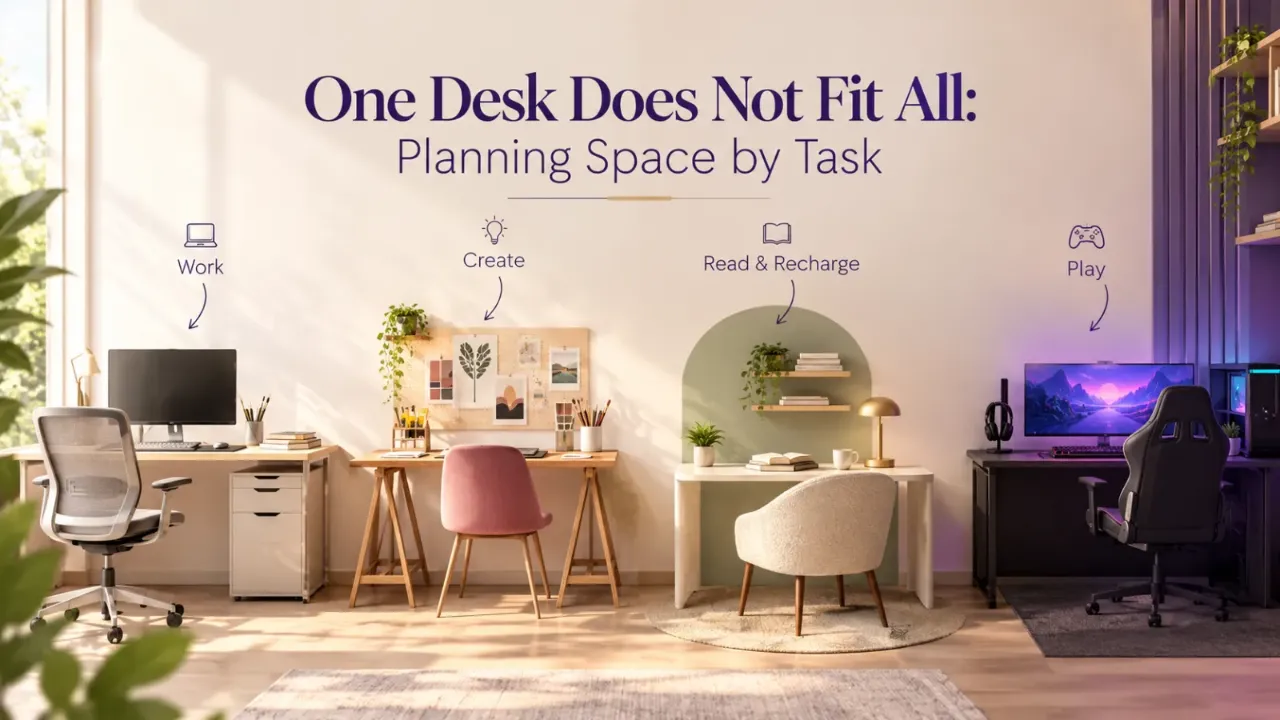
One Desk Does Not Fit All: Planning Space by Task
A desk can look perfectly sized in a furniture showroom and then feel completely wrong once you bring it home. The laptop fits, but the notebook barely does. The charger hangs off the edge. There is nowhere for a lamp or a water bottle. The problem may not be the desk itself. It may simply be the wrong desk for the task. A desk for occasional laptop use is not the same as a desk for full-time computer work, writing, drawing or dual-monitor work. Desk size should follow the task, not the other way around.
There is no single ideal desk size. A compact laptop setup can work with a relatively small surface, while monitor work, drawing, paperwork and shared study require more width, depth or both. The right desk gives you enough space for your equipment, active work area and a little spare surface without unnecessarily taking over the room.
- Start With the Work You Actually Do
- Desk Width and Desk Depth Solve Different Problems
- A Practical Desk-Space Guide
- For Laptop-Only Work, You Need Less Than You Think
- For Laptop + Notebook, Width Becomes More Important
- For Writing and Reading, You Need Open Surface
- For Single-Monitor Work, Depth Matters More
- For Dual Monitors, Think Beyond the Screen Count
- For Drawing, Design and Creative Work, Depth Becomes Valuable
- For Heavy Paperwork, Think in Terms of “Active Surface”
- For a Child's Study Desk, Growth Matters
- The Shared Kids' Desk Is a Different Calculation
- What About a Work-From-Home Desk?
- Depth Becomes More Important When Your Equipment Grows
- Don't Forget the Space Under the Desk
- The Chair Changes the Desk You Need
- Cable Management Takes Space Too
- The Desk Should Not Be Full at 8 a.m.
- What About Built-In Desks?
- A Simple Desk-Space Formula
- A Quick Desk-Planning Checklist
- Final Thought
- FAQ
Start With the Work You Actually Do
Before measuring the wall where the desk will go, make a list of what happens on the desk: laptop work, video calls, writing, reading, studying, drawing, design work, multiple monitors, paperwork, crafting, gaming or a combination of several things.
What needs to stay on the desk while I work?
That question is more useful than simply asking how large a desk you can fit. A compact desk can work beautifully when the task is simple. The same desk can become frustrating when several things need to happen on it simultaneously.
Desk Width and Desk Depth Solve Different Problems
Width determines how many things can sit beside one another. Depth determines how far things can sit in front of you and how much working surface exists between your body and the back edge.
For computer work, depth becomes particularly important because the monitor, keyboard and other equipment need to be positioned comfortably rather than pushed against the front edge.
More width helps when multiple items need to sit beside each other.
Depth = Working Space
More depth helps when equipment and materials need to sit in front of you at comfortable positions.
A Practical Desk-Space Guide
These are useful starting ranges for residential planning, not fixed standards. Actual requirements depend on your equipment, body dimensions and working style.
| Task | Practical Width | Practical Depth |
|---|---|---|
| Laptop-only use | 80–100 cm | 45–55 cm |
| Laptop + notebook | 100–120 cm | 55–60 cm |
| Writing + reading | 100–120 cm | 55–65 cm |
| Single-monitor workstation | 120–140 cm | 60–75 cm |
| Dual-monitor workstation | 140–160 cm | 70–80 cm |
| Creative / drawing work | 120–150 cm | 70–90 cm |
| Heavy paperwork / project work | 140–180 cm | 70–90 cm |
| Shared two-person desk | 180–240 cm | 60–75 cm |
For Laptop-Only Work, You Need Less Than You Think
A laptop is one of the easiest setups to accommodate. You need the laptop, a mouse or trackpad, some arm and wrist space, and perhaps a notebook or phone.
A compact 80–100 cm wide and around 45–55 cm deep surface can therefore be a useful starting point for simple laptop work.
But there is an important catch. If you work for several hours every day, the question is no longer just whether the laptop physically fits. You also need to consider screen height, viewing distance, keyboard and mouse positioning, chair height and whether you may add an external monitor later.
For Laptop + Notebook, Width Becomes More Important
Many people work with a laptop on one side and a notebook on the other. This immediately changes the requirement because the laptop is no longer the only object occupying the main working zone.
A desk around 100–120 cm wide and 55–60 cm deep can be a more comfortable starting point. This is especially relevant for work-from-home setups where calls, note-taking and computer work happen together.
The extra width means you stop moving things every time the task changes.
For Writing and Reading, You Need Open Surface
A writing desk is not automatically a laptop desk. Paper uses space differently. A book opens, a notebook needs to lie flat, documents get stacked and a reference book may sit beside the main work.
For a writing-heavy setup, think in terms of 100–120 cm width and 55–65 cm depth as a practical starting range.
The more paper you handle, the more valuable clear surface becomes.
For Single-Monitor Work, Depth Matters More
Once you introduce a monitor, the desk needs more depth. You have the monitor, keyboard, mouse, perhaps speakers and possibly a notebook, while still needing enough space to position the screen comfortably.
Approximately 120–140 cm wide × 60–75 cm deep, adjusted to the size and number of devices.
The exact dimensions of the monitor matter too. A large display can consume more usable desk depth than a slim screen.
For Dual Monitors, Think Beyond the Screen Count
Two monitors do not simply mean one monitor space multiplied by two. The arrangement also needs room for a keyboard, mouse, possible laptop, speakers, documents, cable management and the user's comfortable viewing position.
A useful residential starting range is around 140–160 cm wide and 70–80 cm deep, with adjustments based on monitor size.
The desk should allow the primary screen to sit directly in front of you rather than forcing your head and torso into a constant side position.
For Drawing, Design and Creative Work, Depth Becomes Valuable
Creative work is different. You may need a computer, sketchbook, paper, tablet, pens, reference material, samples and tools at the same time.
For a mixed digital-and-physical creative setup, 120–150 cm width and roughly 70–90 cm depth can be a useful planning range.
The exact requirement depends heavily on what you create. A person sketching on a tablet needs less physical depth than someone working on large sheets, models or craft projects.
Creative desks need room for the work to spread without taking over the entire room.
For Heavy Paperwork, Think in Terms of “Active Surface”
A large desk can still feel small if every object is permanently occupying the surface.
Instead of measuring only total desk size, think about your active work surface: one area for the current document, one for reference material, one for writing or typing and one area for frequently used tools.
This is why a 140–180 cm wide and 70–90 cm deep desk can be useful for paperwork-heavy tasks.
Measure usable surface, not advertised dimensions.
For a Child's Study Desk, Growth Matters
A child's desk needs to work now, but the child is not staying the same size.
A very small desk may suit early school years and then quickly become inadequate. Think about books, notebooks, stationery, a school device, lighting and eventually more demanding study materials.
A 100–120 cm wide surface can be a useful starting point for an individual study desk, but the child's age, furniture height and equipment should influence the final decision.
For children especially, adjustability and proper positioning can matter as much as surface area.
The Shared Kids' Desk Is a Different Calculation
Two children sharing one desk is not the same as buying one extra-long desk.
Each child needs a clearly usable area rather than simply sitting at opposite ends of one surface.
The desk needs enough surrounding room for both seating positions and comfortable movement.
Individual task lighting can help when children work at different times or prefer different lighting.
Each child should have an identifiable working zone to reduce interference and clutter.
A 180–240 cm wide desk can create two workable positions in many home layouts, but the final arrangement depends on the children's ages and how independently they work.
What About a Work-From-Home Desk?
In many homes, the desk does not live in a dedicated office. It may sit in a bedroom, living room corner, guest room, passage niche or spare room.
That means the desk needs to fit both the task and the architecture.
How much workspace do I need?
How much room can I afford to dedicate permanently?
Those are not always the same. The solution may be a smaller desk paired with vertical storage, a wall-mounted shelf or a separate cabinet nearby.
Depth Becomes More Important When Your Equipment Grows
Think about the difference between a laptop-only setup, a laptop with a monitor, a monitor with keyboard and notebook, and dual monitors with a laptop.
Every additional device pushes the active zone deeper or wider.
This is why desk depth should not be chosen purely according to the wall available. A desk against a wall may look neat but be too shallow for the equipment you eventually use.
Don't Forget the Space Under the Desk
Desk planning is not only about the tabletop. Your legs need room. The chair needs to move. Feet need to rest comfortably. You should be able to move close enough to the work surface without hitting a cabinet or drawer pedestal.
This matters especially with built-in desks. A beautiful cabinet can accidentally create an uncomfortable workstation if leg space is treated as leftover space.
Think about the tabletop, chair, leg clearance, monitor position and movement around the desk as one complete system.
The Chair Changes the Desk You Need
A desk should never be planned independently from the chair.
A large executive chair may need more clearance behind the desk. A compact task chair needs less. A chair with arms may affect the relationship between the seat and the desk. A stool creates a completely different setup.
The relationship between chair + desk + monitor + keyboard + user is more important than one isolated measurement.
Cable Management Takes Space Too
Laptop charger, monitor cable, power strip, speakers, dock, keyboard and internet equipment can make a desk much less usable than its advertised dimensions suggest.
Plan cable routes early. A small rear gap, cable tray, under-desk power solution or nearby socket can free up valuable working area without increasing the desk size.
The Desk Should Not Be Full at 8 a.m.
Imagine the desk at the moment you actually start work: laptop, notebook, water bottle, phone, charger, headphones and perhaps a second screen.
If the entire surface is already occupied before you begin, the desk is probably too small for the task.
A little open area that is not permanently occupied by equipment is what allows the actual work to happen comfortably.
A desk should have spare capacity, not just fitting capacity.
When a Smaller Desk Is Actually Better
More space is not always better. A very large desk can encourage accumulation. Unused corners become storage, old papers pile up and random objects stay permanently on the surface.
For a simple laptop setup, a smaller desk can create better discipline. The key is matching the footprint to the task.
When a Bigger Desk Is Worth It
Extra desk space becomes valuable when the work itself changes.
More width and depth help accommodate screens while preserving a usable keyboard and mouse area.
Physical documents need clear surface area that cannot be replaced by screen space.
Drawing, design and craft tasks often require materials to spread out without constantly being moved.
Two users need clearly defined working positions rather than simply more tabletop.
In these situations, a larger desk is not simply luxury. It is functional infrastructure.
Do You Need a Desk or a Workstation?
A desk is primarily a surface. A workstation is a complete working environment.
The more demanding your work becomes, the more you should think in workstation terms. That is especially useful when planning a permanent home office.
Use the “Task Inventory” Method
Before buying or designing a desk, write down everything that needs to happen there.
Laptop, monitor, keyboard, mouse, tablet, charger and other equipment that normally stays in use.
Notebooks, documents, books, sketchbooks, samples or stationery needed during the task.
Water bottle, phone, glasses and other items that regularly occupy the desk.
Lighting, speakers, charging equipment, organisers and accessories that consume workspace.
Then calculate the surface you need. This gives you a much more realistic starting point than choosing a desk based only on the width of the wall.
A Simple Desk-Space Formula
Your laptop may need one zone. Your notebook needs another. Your mouse needs movement space. Your water bottle needs somewhere convenient. The extra open surface is not waste—it is what keeps the workstation usable.
The Wall Is Not Your Only Constraint
A desk may physically fit into a niche and still be a bad idea.
Leave room for the chair to move comfortably into and away from the desk.
Make sure drawers and chair movement do not interfere with doors or passageways.
Think about daylight, glare and how the desk relates to windows.
A drawer or cabinet should not become unusable because the chair or desk blocks it.
The desk belongs to the room, not just the wall behind it.
Think About Future Equipment
Maybe you use a laptop today. Next year, you add a monitor. Later, you add a second screen. Perhaps you start printing regularly, buy a tablet or need the same room to support another user's study needs.
A desk that is only just big enough today may become frustrating surprisingly quickly.
That does not mean buying the biggest desk possible. It means leaving some room for change.
What About Built-In Desks?
Built-in desks are excellent when every centimetre matters. They can integrate storage, bookshelves, power, lighting, display space and cable management.
But they also create a risk: once the desk is built, the dimensions are fixed.
So built-ins should be based on actual task requirements rather than a generic “study table” dimension.
A beautiful built-in that cannot support your equipment is still a bad workstation.
The Best Desk Size Is the Smallest One That Supports the Full Task Comfortably
Do not ask, “What is the ideal desk size?”
“What is the smallest surface that lets me complete the entire task without constantly moving things?”
That is a much better design question. It helps prevent both extremes: a desk that is too small and a desk that becomes unnecessary furniture.
A Quick Desk-Planning Checklist
- What tasks happen here most often?
- What equipment stays on the desk?
- How much clear surface does the task need?
- Do I need more width, more depth or both?
- Is there enough room under the desk?
- Can the chair move comfortably?
- Where will cables and chargers go?
- Will my equipment change in the next few years?
- Can the desk still work when the task is at its busiest?
Design a Workspace Around the Way You Work
The best workspace starts with the task, not the furniture catalogue. Explore your room and rethink how the desk, storage, lighting and layout can work together.
Final Thought
There is no magic desk size. There is only the right desk size for the work that needs to happen there.
A laptop corner can be compact. A writing desk needs more open surface. A monitor setup needs more depth. Dual screens need more width. Creative work may need room to spread. A child's desk needs room to grow. A shared desk needs clearly divided working zones.
The important thing is to stop shopping for desks as generic pieces of furniture.
Start designing the task. Then design the desk around it.
Because the best desk is not the biggest one. And it is not the smallest one.
It is the one that gives you enough space to do the work without making the room work harder than you do.
FAQ
For a typical laptop-based home workstation, around 100–120 cm of width and 55–60 cm of depth can be a useful planning starting point. A monitor-based or more equipment-heavy setup may need substantially more.
A useful residential starting point is around 140–160 cm wide and 70–80 cm deep, with the final size depending on monitor dimensions, equipment and how much physical paperwork you also use.
Around 60–75 cm can be a useful planning range for a single-monitor setup, but monitor size and mounting arrangement matter. The screen should be positioned at a comfortable viewing distance rather than simply pushed against the back edge.
It can be for a relatively simple laptop setup, but it may feel restrictive once you add a monitor, notebook, speakers or other equipment.
For one student, around 100–120 cm of width can be a useful starting point, provided the depth, chair, lighting, storage and equipment work well together.
Usually, yes. Drawing and creative work often benefit from more clear working surface, particularly when physical sheets, tablets, reference materials or tools are used together.
No. Bigger is useful only when the additional surface supports a real task. An oversized desk can also become a permanent storage zone rather than a focused workspace.
Turn this idea into a plan for your home
Visualise your space, understand the likely budget, or find a professional who can bring the idea to life.