
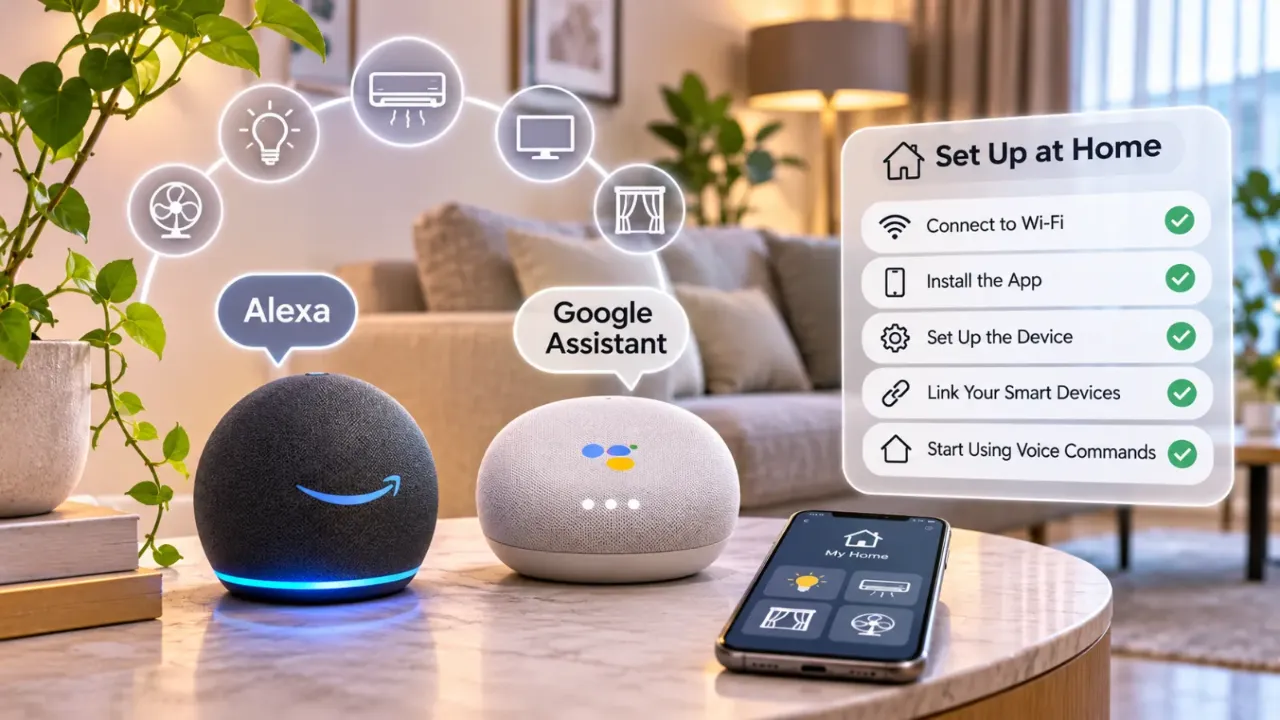
How to Set Up Alexa and Google Assistant at Home
Voice assistants have moved beyond being novelty gadgets. In Indian homes, smart speakers and voice-enabled displays can help manage music, reminders, timers, weather updates and compatible smart-home devices. A simple voice command can switch on a light, adjust a connected fan or start a morning routine without searching for a phone.
But a useful voice assistant needs more than a power socket and an internet connection. Its placement affects how clearly it hears commands, while the setup determines which languages, services and connected devices it can use. Privacy, family access and the layout of the home also deserve attention.
Whether you are setting up an Amazon Echo, a Google Nest speaker or another compatible device, here is how to plan it thoughtfully.
1. Understand What a Voice Assistant Can Do
A voice assistant is software that responds to spoken requests. It may be built into a smart speaker, smart display, smartphone, television or another connected device.
In a typical home, it can help with:
- Everyday information: Weather updates, general questions, news and selected local information.
- Entertainment: Playing music, podcasts, radio and other supported content.
- Reminders and routines: Setting alarms, timers, shopping lists and scheduled reminders.
- Smart-home control: Operating compatible lights, plugs, fans, air conditioners, curtains and other devices.
- Hands-free assistance: Managing selected tasks while cooking, getting ready or moving around the house.
The exact features depend on the assistant, device model, subscription, region, language and connected services. A device that supports voice control does not automatically work with every smart-home product.
Before buying, decide what you want the assistant to do. If your main purpose is music and reminders, a compact speaker may be sufficient. If you want to view recipes, video calls or camera feeds, a smart display may be more suitable.
2. Choose the Right Location for Your Smart Speaker
Placement is one of the most important parts of setup. A speaker should be easy to hear and speak to, but it should not be hidden behind furniture or placed where everyday noise interferes with voice recognition.
Living room
The living room is often a practical central location because family members spend time there throughout the day. Place the speaker on a stable side table, console or open shelf where it can be heard from the main seating area.
Avoid placing it directly beside a television or a loud sound system. Background audio can make it harder for the device to recognise commands.
Kitchen
A kitchen assistant can be useful for timers, recipe instructions, conversions and music. Choose a dry, stable counter or shelf away from the sink, stove, oil splashes and heavy steam.
Keep it clear of appliances that generate heat. The speaker should also be positioned where you can speak to it without reaching across a hot cooking surface.
Bedroom
A bedside table is convenient for alarms, reminders, music and morning routines. Keep the device within speaking distance, but consider whether its microphone and notification behaviour suit your privacy preferences.
If you use a smart display, check whether its screen can be dimmed or switched off at night.
Study or home office
A desk-side location can make timers, calendar reminders and hands-free information searches convenient. Keep the speaker away from the immediate area where confidential calls or sensitive conversations take place if you do not want it listening for its wake word in that setting.
3. Keep the Speaker Clear of Common Obstacles
A smart speaker needs a reasonably clear path to pick up your voice. The following placement mistakes can affect everyday use:
- Hiding the speaker inside a closed cabinet.
- Placing it behind books, decorative objects or tall accessories.
- Keeping it too close to a television or another loud speaker.
- Positioning it directly beside a fan, exhaust or noisy appliance.
- Placing it on an unstable or vibrating surface.
- Keeping it near water, steam or direct heat.
An open shelf or table is usually a better choice than an enclosed niche. Leave the microphone openings unobstructed and follow the clearance instructions supplied by the device manufacturer.
There is no single ideal height or distance for every model. Test the device from the places where people are most likely to use it.
4. Plan Wi-Fi and Power Before Installation
Most smart speakers rely on an internet connection for many of their features. A weak or inconsistent connection can cause delayed responses, interrupted music or problems controlling connected devices.
Before deciding on the final location:
- Check the Wi-Fi signal at the intended spot using a phone.
- Avoid placing the speaker at the far end of the home if the signal is unreliable.
- Consider a mesh Wi-Fi system or a suitable range extender if coverage is poor.
- Check whether the device requires a particular Wi-Fi band or network configuration.
- Keep the supplied power adapter and cable accessible and safely routed.
Do not assume that a smart speaker will continue to provide all its features during an internet outage. Some basic functions may differ by model, but cloud-based services and many connected-device controls generally depend on connectivity.
For a neat interior, plan a socket near the chosen shelf or console. Avoid loose cables across walkways, overloaded extension boards and concealed connections that cannot be inspected easily.
5. Select a Voice Assistant That Fits Your Household
The right choice depends on the devices and services already used at home.
Amazon Alexa
Alexa is available through Amazon Echo devices and compatible products. It can be used for entertainment, reminders, routines and control of supported smart-home devices.
Amazon announced Alexa+ early access in India in November 2026, with English, Hindi and Hinglish support at launch. Availability, features and eligibility may vary, so check the current offer and device compatibility before planning around a specific feature.
Google Assistant
Google Assistant is available on supported speakers, smart displays, phones and other compatible devices. Google's support information lists Hindi and English for speakers in India, while language availability can differ across device categories and features.
It may be a convenient option for households already using compatible Google services and smart-home products.
Other voice-enabled devices
Some televisions, phones, appliances and smart-home hubs include their own voice-control systems. These may be useful for specific tasks, but check whether they can connect with the rest of your smart-home setup.
A useful buying rule: Choose the assistant based on the devices you want to control, the language experience your household needs and the services you actually use—not just the number of features listed on the box.
6. Check Language Support for an Indian Household
Language is an important consideration in a home where family members may speak different languages or switch between languages during conversation.
Before buying, check:
- Whether the device supports the preferred language.
- Whether it can understand the accents and speaking patterns of household members reliably.
- Whether multilingual use is supported on that particular model.
- Whether the language setting applies to the speaker, display or only the companion app.
- Whether key features remain available in the selected language.
For example, Google documents Hindi and English support for its speakers in India, while its language guidance notes that availability differs by device and feature. Amazon has also announced English, Hindi and Hinglish support for Alexa+ in India.
Do not assume that support for a language means every command, third-party service or smart-home feature will work in that language. Test common phrases before relying on voice control for daily routines.
7. Set Up the Device Through Its Companion App
Most smart speakers are configured using a companion mobile app. The exact steps vary by brand and model, but the general process is similar.
- Place the speaker near a suitable power socket.
- Connect it to power and wait for the setup indicator.
- Install the manufacturer's official app on your phone.
- Sign in using the account required by the device.
- Follow the app instructions to discover the speaker.
- Connect it to your home Wi-Fi network.
- Select the language, location and other available preferences.
- Install any available firmware or software updates.
- Test a few basic commands from different parts of the room.
Use the official app and follow the manufacturer's setup instructions. Avoid third-party apps or unfamiliar links that ask for account credentials.
8. Connect Compatible Smart-Home Devices
A voice assistant becomes more useful when it can control devices around the home. However, compatibility needs to be checked before purchasing accessories.
Common examples include:
- Smart bulbs and lighting systems.
- Smart plugs for suitable electrical appliances.
- Compatible fans and fan controllers.
- Smart switches and selected electrical controls.
- Air conditioners with supported connectivity or compatible controllers.
- Motorised curtains and blinds.
- Selected security cameras and doorbells.
Check the exact model, supported ecosystem and connection requirements. A product may work with Alexa but not Google Home, or may require a separate hub or bridge.
For Indian homes, also check the electrical rating, plug type, earthing requirements and suitability for the appliance being controlled. High-power equipment should not be connected through an unsuitable smart plug. Use a qualified electrician for fixed wiring, switchboard changes and electrical installation.
9. Create Routines Around Everyday Activities
Routines combine multiple actions into one command or scheduled event. They can make a voice assistant feel more useful without requiring a complicated smart-home system.
Morning routine
- Read the day's weather.
- Play a preferred news briefing or music.
- Remind you of an upcoming appointment.
Cooking routine
- Set a cooking timer.
- Play music or a supported recipe.
- Add items to a shopping list.
Leaving-home routine
- Switch off selected compatible lights.
- Turn off suitable connected plugs.
- Provide a reminder to check doors and windows.
Bedtime routine
- Dim compatible lights.
- Set an alarm.
- Play a sleep timer or selected audio.
Review every action before enabling a routine. Do not include safety-critical functions that could create a risk if the command is misunderstood or the internet connection fails.
10. Make Privacy Part of the Setup
Voice assistants are designed to listen for a wake word, but their privacy settings and data-handling practices vary by manufacturer and model.
Before using one regularly:
- Locate the physical microphone mute control, if provided.
- Understand how to review and delete voice recordings.
- Check whether voice purchasing or payment-related features are enabled.
- Use account security features such as strong passwords and two-step verification where available.
- Review permissions for calling, messaging, contacts and location.
- Avoid placing the device in bathrooms or other highly private spaces.
- Do not use a shared household account for services that expose personal information unnecessarily.
If guests or domestic staff regularly visit the home, consider telling them that a voice-enabled device is present and explaining how to mute it.
For bedrooms and workspaces, decide whether the convenience is worth keeping the microphone active in that room.
11. Think About Family Access and Everyday Usability
A voice assistant should work for the people who actually live in the house. A setup that only one person understands may not be useful to everyone.
- Use a language that most household members can comfortably speak.
- Show family members the wake word and basic commands.
- Set up individual voice profiles where supported and appropriate.
- Review which accounts, calendars and music services are linked.
- Keep purchasing and sensitive account permissions restricted.
- Make sure children understand that the assistant is not a substitute for adult supervision.
- Keep manual switches and ordinary controls available.
Voice control should make a home easier to use, not make everyday functions dependent on one device.
12. Common Setup Mistakes to Avoid
A few small oversights can make a smart speaker frustrating to use.
| Mistake | Why it matters | Better approach |
|---|---|---|
| Placing it inside a cabinet | The microphone may not pick up commands clearly | Use an open, accessible surface |
| Keeping it beside the TV | Background sound can interfere with recognition | Move it away from loud audio sources |
| Ignoring Wi-Fi strength | Commands and streaming may become unreliable | Test the signal before final placement |
| Buying devices without checking compatibility | Accessories may not connect to the chosen assistant | Verify exact model and ecosystem support |
| Skipping language settings | Family members may struggle to use it | Test the preferred language during setup |
| Leaving default privacy settings unchecked | Unwanted permissions or features may remain enabled | Review microphone, account and data controls |
| Depending only on voice commands | A connection or device failure can interrupt use | Retain manual switches and controls |
13. Final Checklist Before You Start Using It
Use this checklist to review your setup:
- The speaker is on a stable, open surface.
- Microphone openings are not blocked.
- It is away from direct heat, water and heavy steam.
- The Wi-Fi connection is reliable at the chosen location.
- The power cable is safely routed.
- The selected language suits the household.
- The companion app and device software are updated.
- Connected smart-home products are compatible.
- Voice profiles and account permissions have been reviewed.
- Microphone mute and recording controls are understood.
- Manual controls remain available for essential functions.
- Basic commands have been tested from different parts of the room.
Closing Thoughts
A voice assistant can make everyday routines more convenient, but the best setup is not necessarily the one with the most devices. It is the one that fits the way your household lives.
Choose a location where the speaker can hear commands clearly, plan Wi-Fi and power access, check language and device compatibility, and review privacy settings before using it regularly. Start with a few useful functions and add connected devices only when they solve a real need.
With thoughtful placement and a simple setup, voice technology can become a practical part of the home rather than another gadget competing for attention.
Explore More with Walls to Wonder
Planning a smarter, more functional home? Explore Walls to Wonder's AI tools to visualise rooms, understand costs and make more informed interior design decisions.
- Whole Home Visualizer
- Design My Room
- Interior Design Cost Estimate
- Interior Quotation Checker
- Rate My Room Design
- Interior Style Finder
Discover more at Walls to Wonder.
Turn this idea into a plan for your home
Visualise your space, understand the likely budget, or find a professional who can bring the idea to life.