
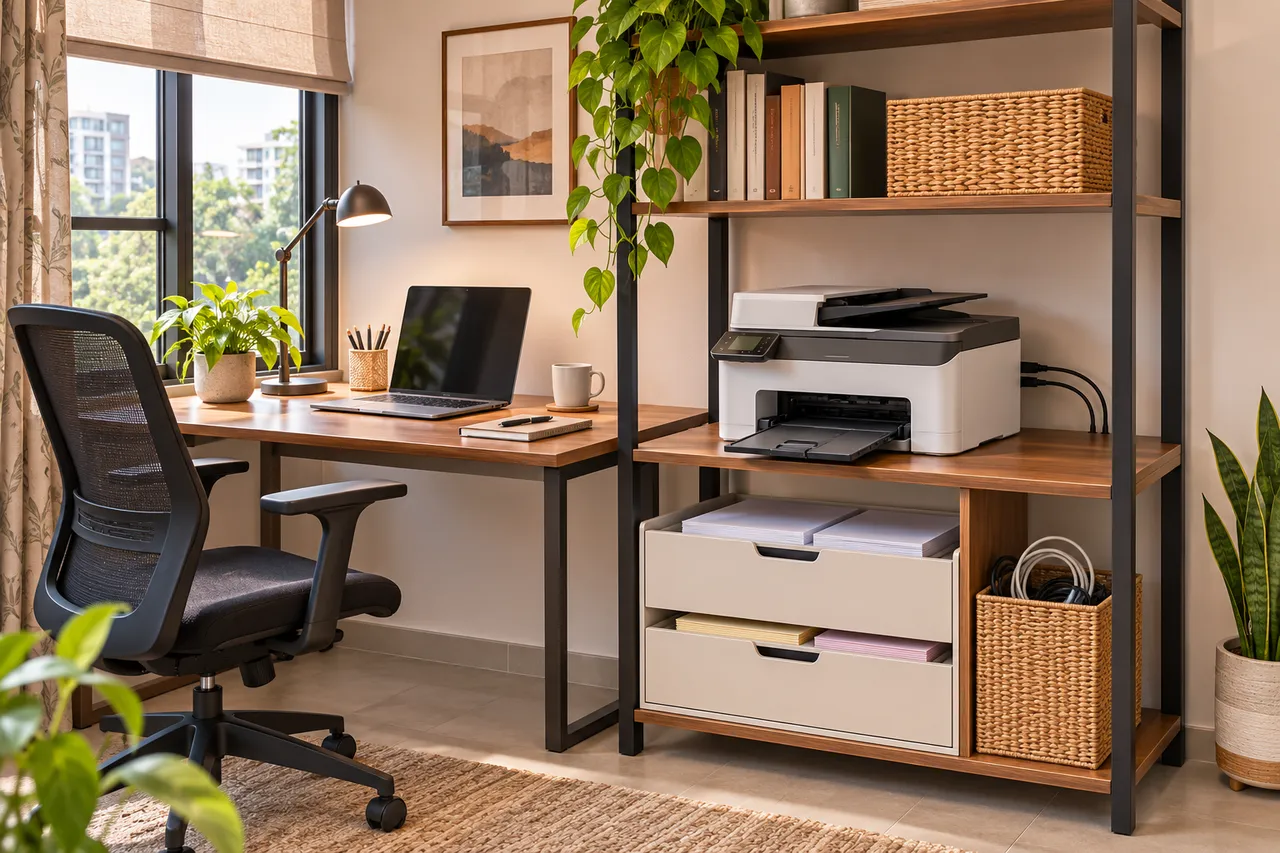
Printer Storage in a Whitefield Home Office: Plan Paper, Cables and Working Clearance
Plan printer storage with the machine open and working, not only with its trays folded away. In a Whitefield home office, check paper loading, output space, scanner access, cartridge changes and cable reach. Choose a stable surface and retain the manufacturer’s required clearances before enclosing the printer in a cabinet.
Start with your Whitefield property
Whitefield home-office planning should start with the actual household work pattern: occasional forms, school printing, scanning or regular document production. These tasks do not require identical storage. If the workspace shares a bedroom or living area, note when other people need the room and whether the printer can remain accessible without taking over the desk.
Measure the working machine
Record the exact printer model and obtain its setup or user guide. Measure the device with input and output trays in use, not just the compact shipping dimensions. On a multifunction device, test the scanner lid and any document feeder. Check how paper, cartridges or tanks are accessed. Manufacturer guidance on the chosen model takes priority; a picture showing a printer inside a neat cubby does not establish that the machine can operate there.
Choose a surface before choosing a door
Compare an open shelf, a separate stand and a dedicated cabinet. The support must suit the real device and intended use. A pull-out platform adds moving hardware and may not be an approved operating surface; check its suitability with the equipment and furniture suppliers. Do not automatically put the printer behind a door that must stay open across a household route. If you prefer concealed storage, distinguish storage mode from the full working arrangement.
Give consumables a separate home
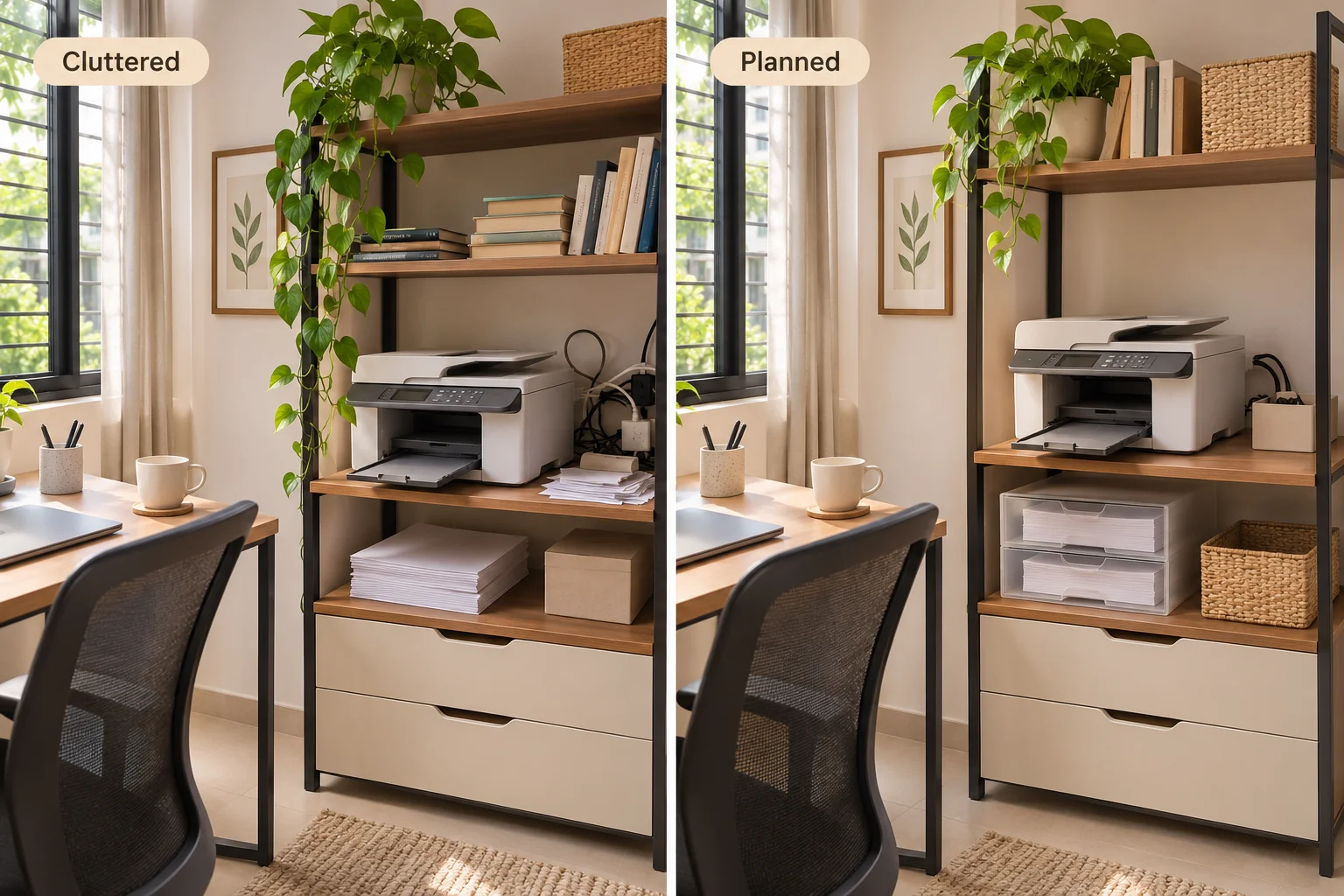
Keep a sensible amount of paper close to the device in conditions suitable for the paper and printer instructions. Avoid making the printer shelf the catch-all for heavy files or unstable stacked objects. Provide a separate place for spare supplies and completed work. For a shared family printer, decide where private documents are collected so papers do not remain in view of visitors or a video-call camera. Storage organisation should reduce handling rather than add a sequence of things to remove.
Test a complete printing and scanning task
Use a normal document to trial the setup. Load paper, print, retrieve the sheet, scan and reach the relevant maintenance area without moving the desk. Confirm cable length and connection arrangements; leave electrical changes to the relevant professional. Check that a chair, cupboard door or bag does not block access. The final trial should be done with the actual device before the cabinet is considered complete.
A practical example to test the decision
A family orders a shelf using the closed dimensions of a compact printer. During the trial, the output tray projects beyond the shelf and the scanner lid hits a shelf above. They revise the location and move spare stationery to a drawer. No larger printer is needed; the storage simply needs to reflect the machine’s working footprint.
Step-by-step planning checklist
- Identify the model and collect its setup and maintenance instructions.
- Record tray, lid and service positions in addition to stored dimensions.
- Compare fixed open storage with any proposed concealed arrangement.
- Plan paper, consumables and collection of private documents separately.
- Trial an entire print-and-scan task before signing off the furniture.
What to put in the quotation
- Support dimensions and intended equipment load.
- Door, tray and scanner access in the drawing.
- Any moving platform specification and supplier confirmation.
- Cable routing, installation and separate electrical scope if required.
Planning budget and scope
| Scope | Planning allowance or pricing method |
|---|---|
| Reorganise an existing surface | ₹0–₹3,000 allowance for simple organisers |
| Add a loose equipment stand or shelf | ₹3,000–₹12,000 initial allowance |
| Custom storage with moving hardware | Quote to model and measured scope |
These editorial allowances exclude the printer, computers, consumables and electrical work. They are not live Whitefield retail prices. Price any drawer hardware and installation separately and check equipment compatibility before committing to a cabinet.
Preparation and project timing
Allow a short equipment trial before furniture selection. A loose stand follows stock and delivery; custom work needs a drawing and the actual machine dimensions. Do not leave the printer test until after shelves and fronts have been permanently closed around it.
Before you approve the final proposal
If two people share the printer, agree who replenishes paper and where completed documents go. Test whether one user can collect a sheet while the other remains seated at the desk. Record any task that still requires moving the printer; it may indicate a location problem rather than a need for more cabinetry. Keep the original device instructions accessible and preserve the model number in the furniture brief. That information is useful when a replacement machine is considered later.
Prepare a clearer brief with WallsToWonder
Collect photographs, measurements and the choices you want to compare. Use Design My Room to explore a visual direction, then have the relevant professional check the measured layout, product requirements and work scope. Account access and current tool allowances apply; a visual concept is not a costed construction drawing.
Organise the proposal with the interior cost planning tool and explore interior companies serving Bengaluru. Confirm service availability for Whitefield directly and ask the firm to explain deliverables, site involvement and exclusions.
For related planning, read Whitefield Apartment Interior Handover: What to Check Before Moving In.
Frequently asked questions
Can I measure a printer with trays closed?
Record both closed and working dimensions. The open trays, lid and service access may determine the furniture size.
Can I print inside a closed cabinet?
Only use an arrangement consistent with the specific printer instructions. Do not assume a closed cubby provides suitable operating conditions.
Is a pull-out tray useful?
It may improve access, but support, movement, cables and suitability as an operating surface need checking for the actual equipment.
Where should paper be stored?
Keep it in conditions suitable for the paper and equipment instructions, with enough access to reload without moving the printer.
What should I test before completion?
Paper loading, printing, output retrieval, scanning, maintenance access and normal movement around the workspace.
Further reference: HP official example showing an extended output tray during use.
Turn this idea into a plan for your home
Visualise your space, understand the likely budget, or find a professional who can bring the idea to life.